
How your clients can add their bank account and pay with ACH through the Walla widget.
Client ACH Set Up Walkthrough Video
What is ACH?ACH (bank account payment) is a payment option that lets you pay directly from your bank account instead of a credit card.
Good to know: ACH payments take 3–10 business days to process. Your purchase will be confirmed right away, but the payment itself processes in the background over the next few days.
How to Add Your Bank AccountFrom Your Profile
You can add a bank account any time from the Manage Account section in the widget — you don't have to wait until checkout.
- Log in to your account and go to Manage Account
- Select "+ Add Payment Method"
- Choose "US Bank Account"
- Enter your email and full name
- Search for your bank or select it from the list
- Log in to your bank via Stripe's secure connection and select your account
- Click Save — your bank account is now saved for future checkouts
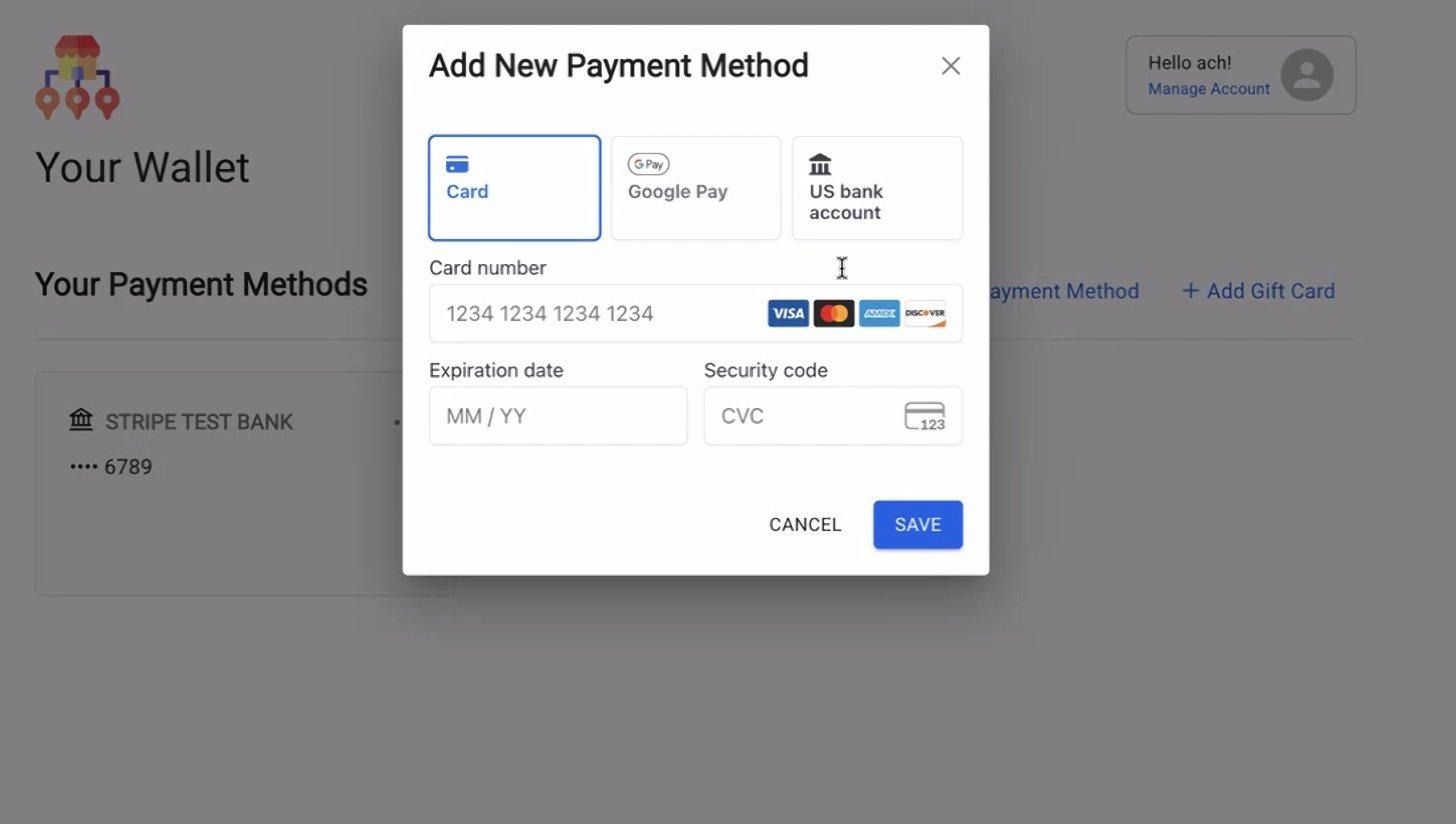
Your Wallet — select US bank account to get started
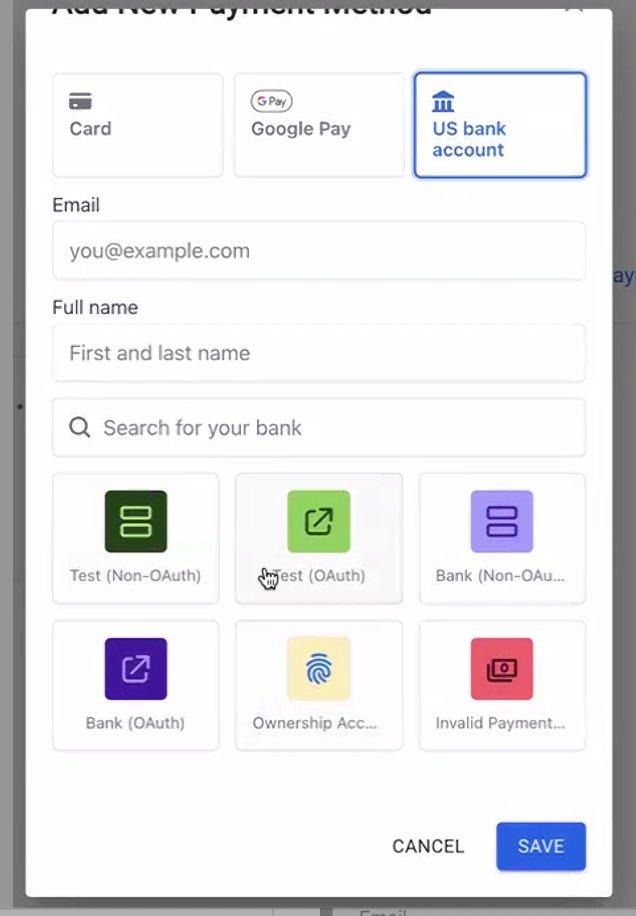
Search for or select your bank from the list
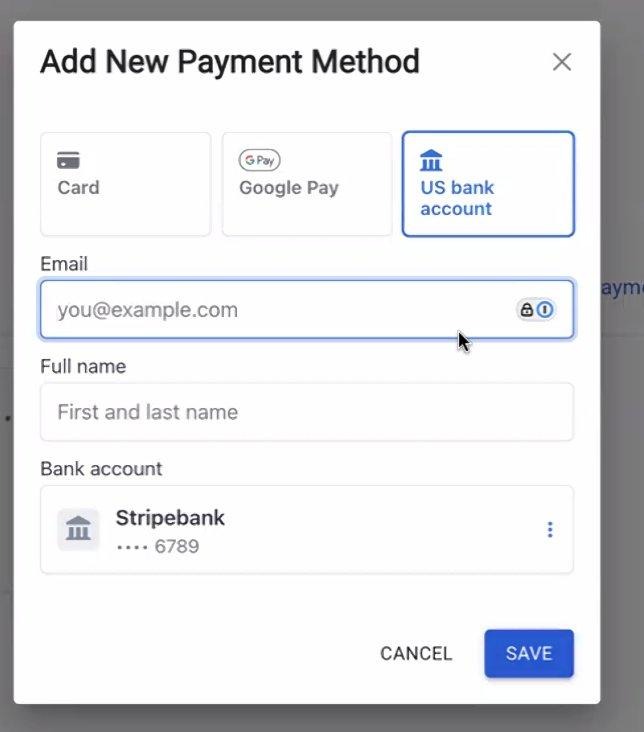
Bank account saved and ready to use at checkout
Paying with ACH at Checkout
When you reach checkout, you have the option to use ACH for payment by selecting your bank account.
- You can add a bank account during checkout if you haven't already
- Select your bank account as the payment method
- Complete your purchase — you can start using it right away even while the payment is still processing
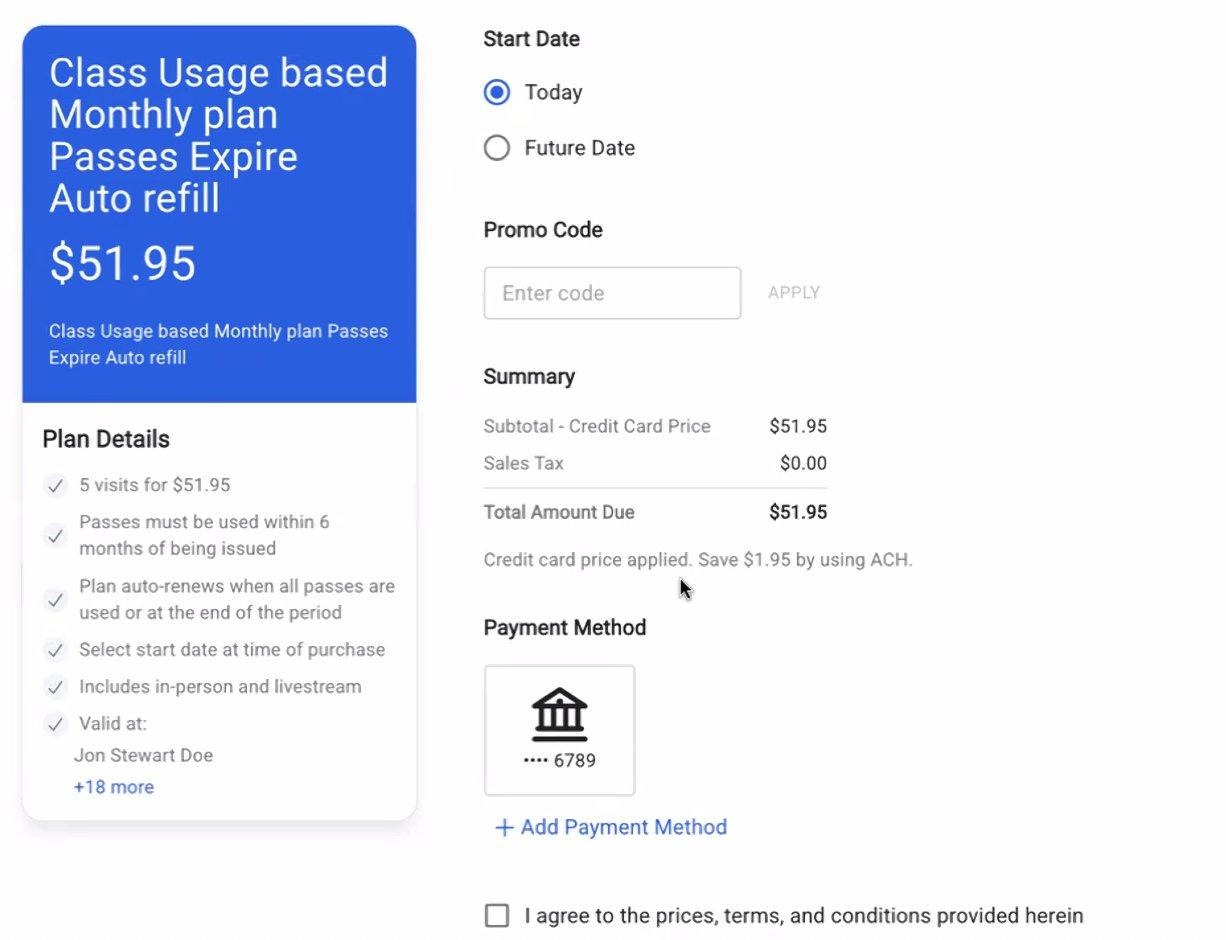
Checkout — switch to bank account
What Can I Pay for with ACH?
|
Purchase Type |
ACH Supported? |
|
Class drop-ins |
Yes |
|
Appointment bookings |
Yes |
|
Enrollment payment plans |
Yes |
|
Plan purchases & recurring billing |
Yes |
|
Retail & gift card purchases |
No |
|
Late cancel / no-show fees |
No |
ACH cannot be set as your default payment method. If a fee (like a late cancel fee) is charged and you only have ACH on file, it will be added to your account balance instead.
What Happens if a Payment Fails?
Because ACH takes a few days to process, there are rare cases where a payment may fail after you've already used a service. Here's what to expect:
|
Situation |
What Happens |
|
Class already attended |
Your visit stays valid; the amount owed is added to your account balance |
|
Class not yet used |
Your booking will be cancelled |
|
Appointment — already attended |
Remains valid; converted to account balance owed |
|
Appointment — upcoming |
Automatically cancelled |
|
Weekly recurring plan failure |
Plan is cancelled immediately |
|
Monthly recurring plan failure |
Walla will retry up to 3 times before cancelling |
Refunds
- Refunds are always returned to your original bank account
- Processing time for refunds is 3–10 business days
- If your payment is still processing at the time of a refund request, it may need to be cancelled instead
Refund status flow: Processing → Completed → Refunded
Frequently Asked Questions
Can I use ACH for every purchase?
Not for everything — ACH works for most purchases like classes, plans, appointments, and enrollments, but cannot be used for retail, gift cards, fees, or split payments.
Is my bank information secure?
Yes — bank account connections are handled through Stripe, a leading payment platform. Your banking credentials are never stored by Walla.
Why can't I see ACH as a payment option?
ACH availability depends on your studio having it enabled, and your bank being supported. If you don't see it as an option, reach out to your studio directly.