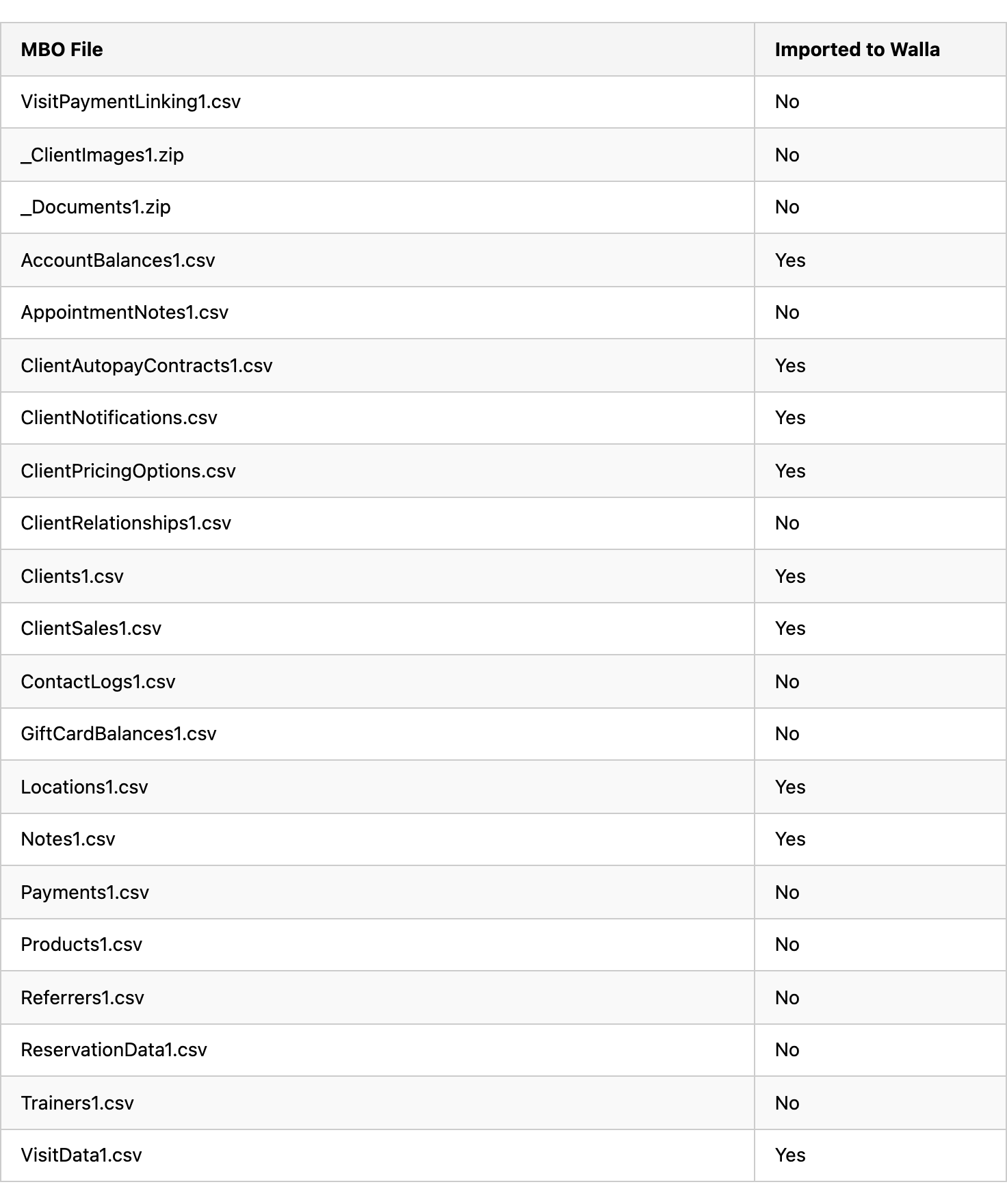
Here you will find what data is migrated and what data is included in your Mindbody Data Export!

**There is a $499 fee to have your data and payment method information exported from Mindbody
Here is the list of the reports that Walla Data Migrations will use to import the above data.
Visits Remaining Report - This report is used to import any active pricing options into Walla, specifically for expiring plans.
Autopay Detail - This report is used to import any active recurring memberships into Walla. We use this is in conjunction with the ClientAutopayContracts1.csv from the data export to ensure clients have the correct contract terms for their memberships.
Schedule At A Glance - This report is used to import your upcoming class and appointment reservations.
Mailing List - This report is used to capture and import any clients that may have signed up after the data export was received from Mindbody.
Inventory on Hand - This report is used to import any retail items you have in Mindbody.
Here is the list of data files that are included in your MBO Data Export