
Offset credit card processing costs by passing a 3.9% fee to clients who pay by card — while offering a lower cash/ACH price.
Set Up Walla Offset Walkthrough Video
OverviewWalla Offset is an optional feature that allows your studio to pass credit card processing costs to clients while offering a lower price to those who pay with cash or ACH. When enabled, a 3.9% rate is applied to all eligible credit card transactions — the fee is built into the displayed price, not shown as a separate line item.
|
Payment Method |
Rate |
Who Pays |
|
Credit card |
3.9% added to price |
Client |
|
ACH (bank account) |
1.8% processing fee |
Your studio |
|
Cash |
No fee |
N/A |
Important: The credit card price is always the displayed price. If you create a plan for $100, it will show as $103.90 until a client selects ACH or cash at checkout. You do not need to update your plan prices — Walla calculates this automatically.
Note: Walla Offset and ACH are two separate features. You do not need Walla Offset to accept ACH payments. However, ACH must be enabled if you want to use Walla Offset.
Requirements- Available to US-based studios only
- ACH must be enabled — Walla Offset cannot be turned on without ACH active
- Only Business Owners can enable or disable Walla Offset
- Changes apply immediately across all locations
ACH dependency: If you disable ACH while Walla Offset is active, Walla Offset will automatically be disabled as well.
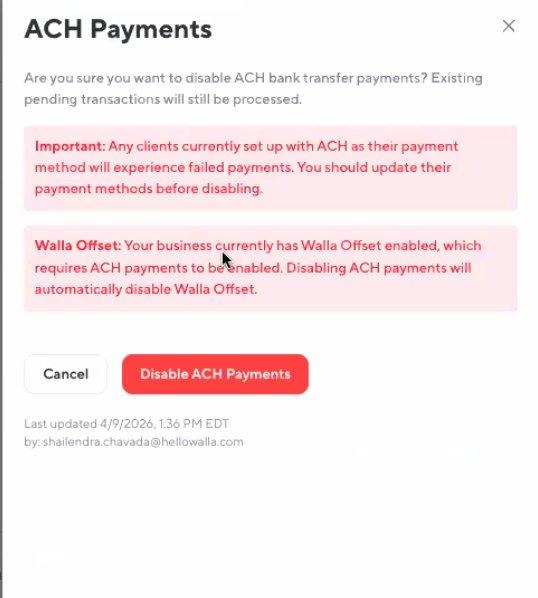
Warning shown when disabling ACH while Walla Offset is active
Enabling Walla OffsetNavigate to Business Settings and find the Walla Offset card. Click Manage to begin activation.
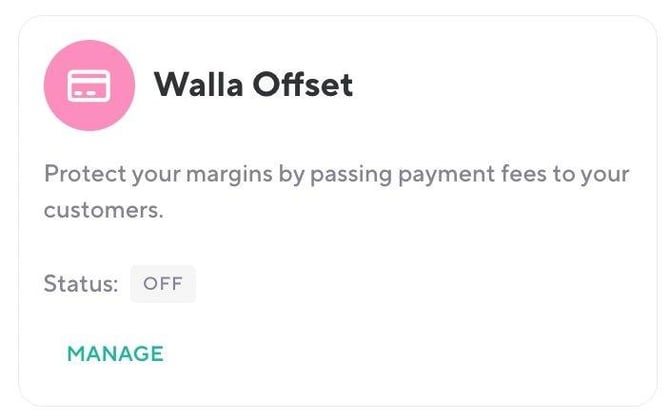
Business Settings — Walla Offset card
Before activating, you must review and check all four compliance boxes:
- Compliance responsibility — you are solely responsible for ensuring compliance with all applicable dual pricing laws
- Price display — you will clearly display the card price (or both cash and card prices) at all points of sale
- Monitoring responsibility — you will monitor for legal changes and notify Walla with 30 days notice if updates are needed
- Legal counsel — you understand that consulting legal counsel is recommended
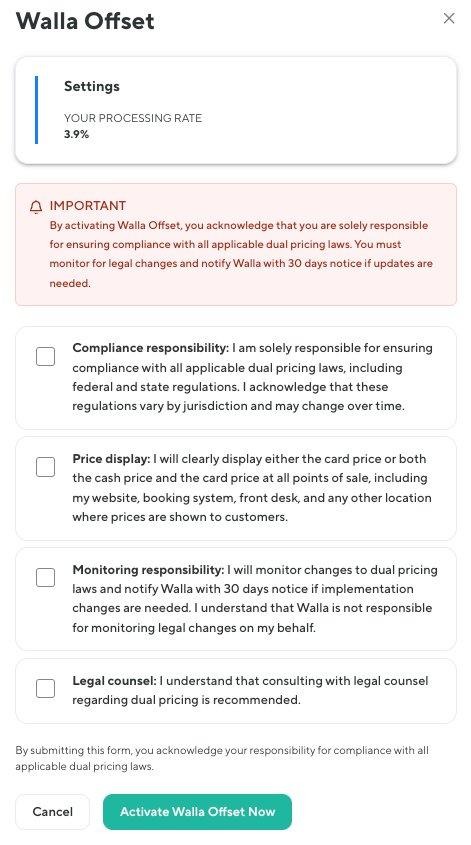
Activation modal — all four compliance boxes must be checked before enabling
Once activated, the system logs the event including the email address, date, and time. You will also receive a confirmation email.
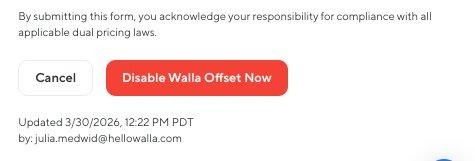
Activation log — every enable/disable event is recorded for compliance
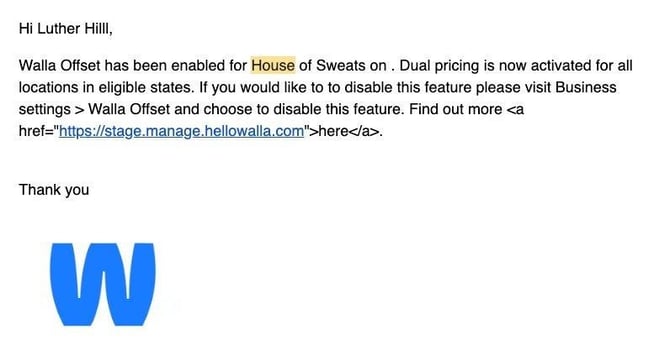
Email notification sent to the Business Owner when Walla Offset is enabled or disabled
Where Walla Offset Applies
|
Transaction Type |
Walla Offset Applied? |
|
Plan purchases (one-time & recurring) |
Yes |
|
Appointment purchases |
Yes |
|
Enrollments |
Yes |
|
Drop-ins |
Yes |
|
Late cancel / no-show fees |
Yes |
|
Retail purchases |
Yes — ensure retail prices comply with display rules |
|
Gift cards |
No |
|
Account balance payments |
No |
|
Tips |
No — standard merchant fees apply |
Front Desk Checkout
When Walla Offset is enabled, the 3.9% credit card rate is applied automatically to the subtotal across all purchase types — plans, appointments, enrollments, drop-ins, and retail. Tax is calculated on top of the adjusted subtotal. Staff will see "Credit card price applied. Save $X by using cash/ACH" in the checkout summary.
The retail screenshots below illustrate how Walla automatically recalculates the total when the payment method changes — the same logic applies across all purchase types at the front desk.
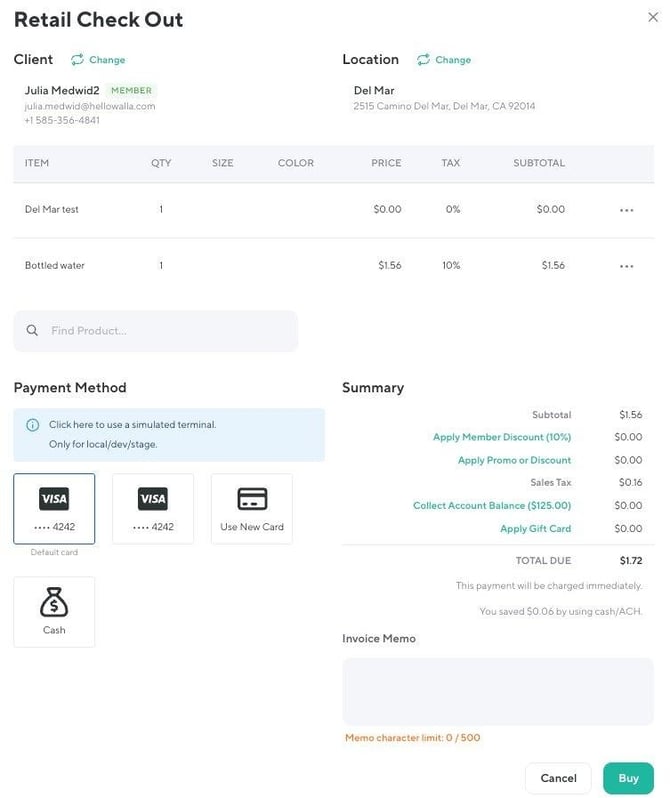
Retail checkout — credit card price ($1.72 total)
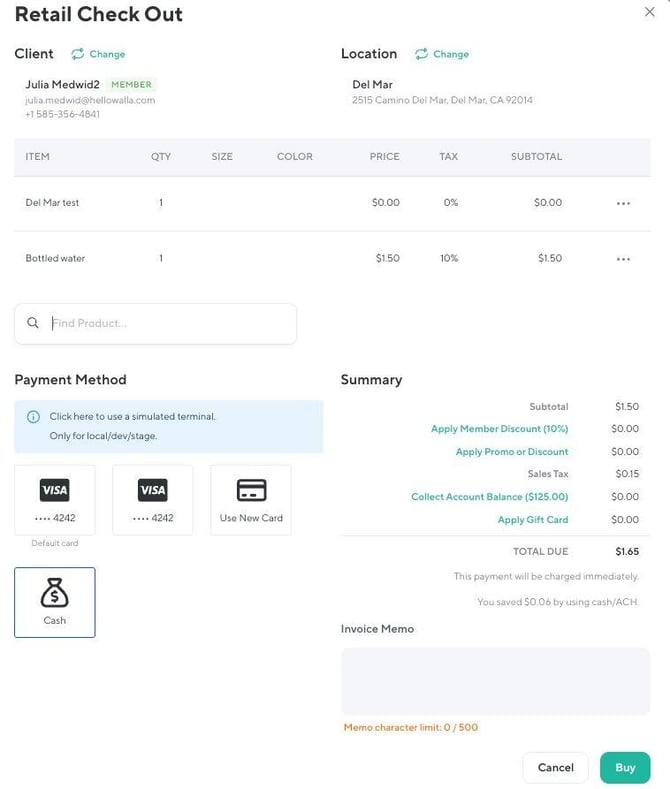
Retail checkout — cash/ACH price ($1.65 total)
Important Edge Cases
|
Scenario |
What Happens |
|
Client already on a recurring plan when Walla Offset is enabled |
Next renewal is charged at the Walla Offset (credit card) rate immediately — no grace period |
|
Enrollment installment plan on credit card |
Each installment includes the 3.9% fee since a card is charged each time |
|
Client already on an Enrollment installment plan on credit card |
Next installment is charged at the Walla Offset (credit card) rate immediately — no grace period |
|
100% promo code on a recurring plan |
Credit card fee still applies — the 3.9% on any remaining amount due is charged because a card is on file |
|
100% promo/gift card on a one-time purchase |
Fee removed automatically — system switches to cash price when $0 is due |
|
Apple Pay / Google Pay |
Always charged at credit card price |
Reporting
- Revenue in reports reflects the final collected price (including the 3.9% increase)
- The Fee column in the Sales report shows Stripe fees — not the Walla Offset amount
- There is no separate pass-through fee line item
- The increased price is already baked into sales figures
- Client receipts do not show a Walla Offset line item — the receipt reflects the final amount paid
Refunds
- Full refunds return the complete amount paid (including the credit card price) to the client
- Partial refunds follow the same logic
Quick Reference
|
Setting |
Details |
|
Credit card rate |
3.9% (added to displayed price, paid by client) |
|
ACH rate |
1.8% (paid by studio, not passed to client) |
|
Who can enable/disable |
Business Owner only |
|
Applies to |
US-based studios only |
|
Takes effect |
Immediately across all locations |
|
ACH requirement |
ACH must be enabled to use Walla Offset — but ACH does not require Walla Offset |
|
Displayed price |
Always the credit card price by default |
|
Gift card / promo covers 100% |
Fee removed automatically; switches to cash price |
|
Apple Pay / Google Pay |
Always charged at credit card price |
|
Client receipts |
No Walla Offset line item shown |